 Chore PlannerTaskBot Market Grok Bots
A fair chore plan the whole family follows.
Tell Chore Planner who lives at home and their ages. It splits chores fairly by age, sets up a daily 10-minute tidy and a Sunday reset, and checks each month that the load is still fair.
Free to install. Works in Safari on iPhone and Chrome on Android.
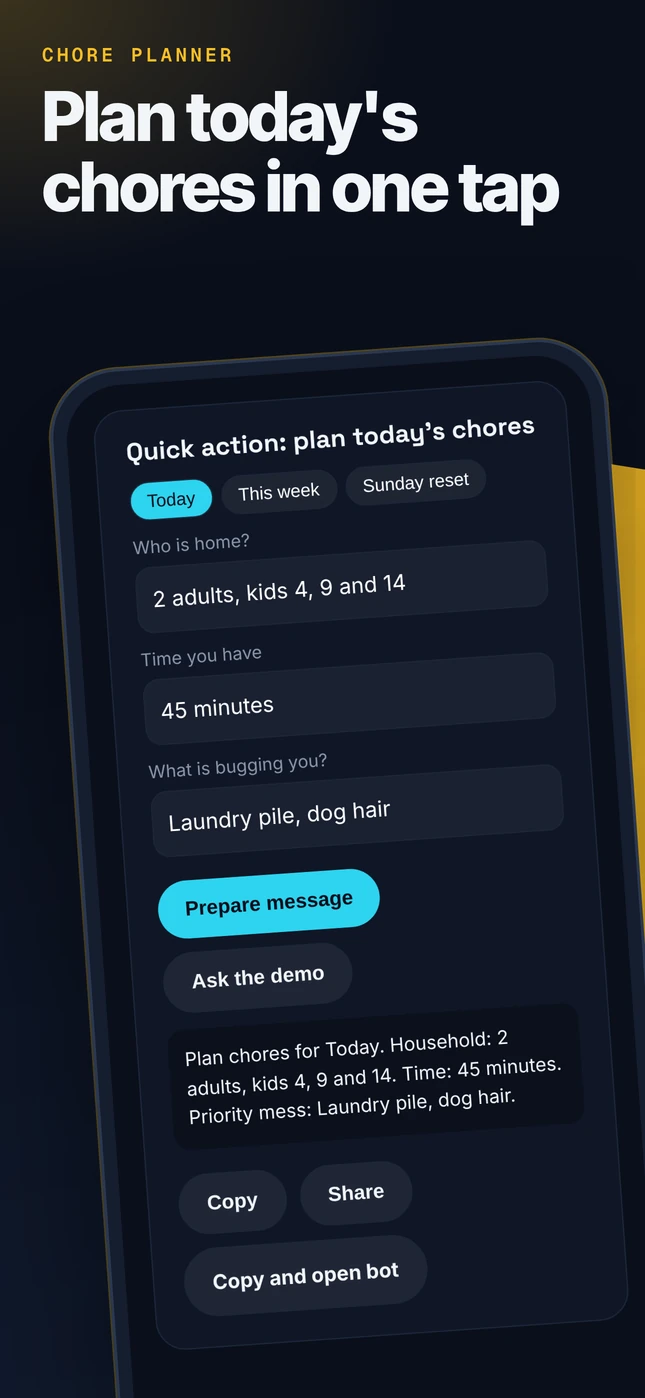
Quick action: plan today's chores
Works with Grok Bot
- Works with your iPhone
- Check-ins on a schedule
- Remembers your setup
- Live dashboard page
- Drafts you approve
- Voice recaps
- Images on request
- Product picks
- Works with your iPhone
- When your phone is paired to Grok Bot: see existing household reminders before adding new ones; add chore reminders when you ask; fit chores around school, work and activities.
- Check-ins on a schedule
- Weekly chore plan and a Sunday reset, only on yes.
- Remembers your setup
- Remembers household members, ages and preferences.
- Live dashboard page
- A chore chart page the family can check.
- Drafts you approve
- A family message about the new plan as a draft you send.
- Voice recaps
- A spoken chore list when asked.
- Images on request
- Chore chart art or reward stickers on request.
- Product picks
- Cleaning supplies or a grocery list only when asked.
- No phone paired?
- It uses a printable chore chart in chat, or the Google Calendar connector.
You approve every change.
A real result
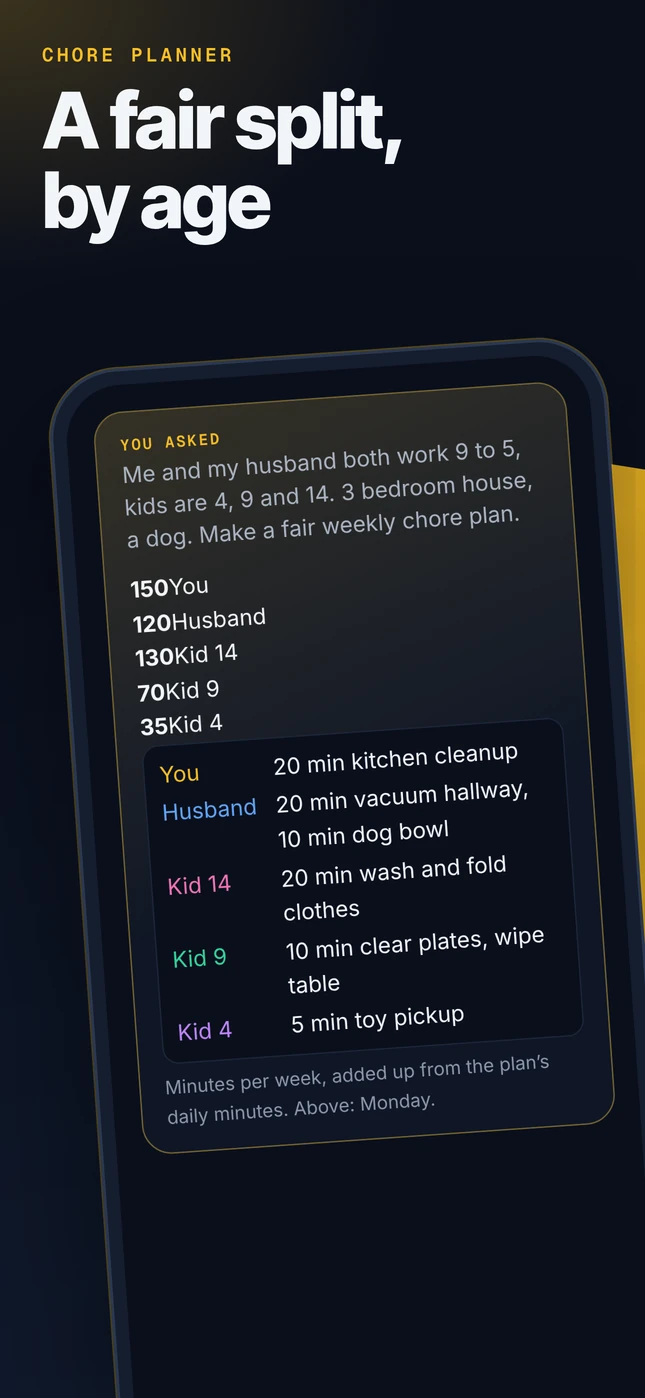
From an in-house test run of the Pro kit. Excerpt, tidied for a phone screen. Results vary with what you send.
You askedMe and my husband both work 9 to 5, kids are 4, 9 and 14. 3 bedroom house, a dog. Make a fair weekly chore plan.
- You
- 20 min kitchen cleanup
- Husband
- 20 min vacuum hallway, 10 min dog bowl
- Kid 14
- 20 min wash and fold clothes
- Kid 9
- 10 min clear plates, wipe table
- Kid 4
- 5 min toy pickup
Minutes per week, added up from the plan’s daily minutes. Above: Monday.

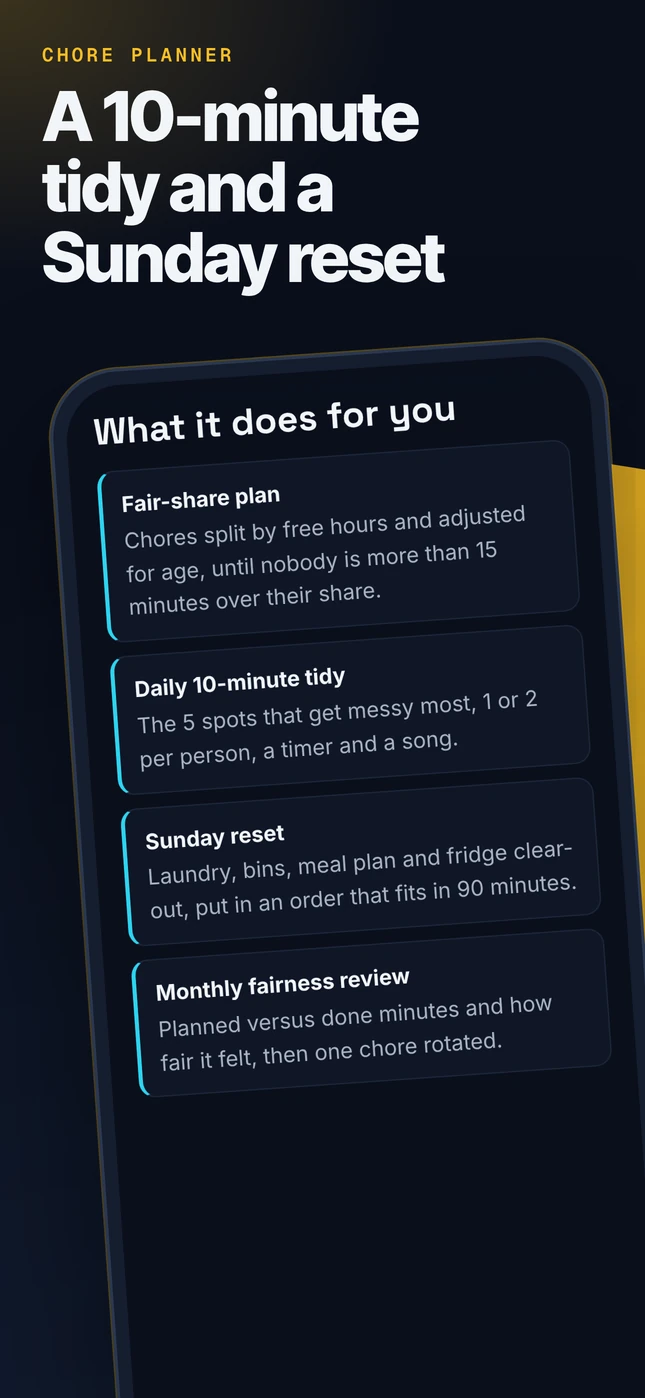
What it does for you
- Fair-share planChores split by free hours and adjusted for age, until nobody is more than 15 minutes over their share.
- Daily 10-minute tidyThe 5 spots that get messy most, 1 or 2 per person, a timer and a song.
- Sunday resetLaundry, bins, meal plan and fridge clear-out, put in an order that fits in 90 minutes.
- Monthly fairness reviewPlanned versus done minutes and how fair it felt, then one chore rotated.
These workflows come with the Plus and Pro kits. The free Grok Bot and the Basic kit cover the core job.
See it on your phone
Real screenshots of this page on a phone, nothing mocked up. The first one is the real result above.
Add it to your Home Screen
About 20 seconds. These are illustrations, your screen may look a little different.
1. Tap Share
Open this page in Safari, then tap Share. On Android, tap the Chrome menu.
2. Add to Home Screen
Tap Add to Home Screen. Keep Open as Web App on, then tap Add.
3. Tap Chore Planner
It opens full screen like an app, with the quick action and chat bubble ready.
Widget and Apple Watch
Home Screen widget
Build a 2-minute Shortcut, then add the Shortcuts widget.
Apple Watch
Turn on Show on Apple Watch and add it as a complication. Speak, read the reply on your wrist.
Pro tier perk
The Pro tier kit includes this widget and watch setup guide plus the full engine and premium playbooks.
Read the Shortcut guideChoose your look
Dress up your bot. Every look is an original character with its own voice, catchphrase and emoji style, and the same expert coaching underneath.
Home Captain
Friendly ship captain with a feather duster.
"All hands on deck, crew." ⚓🧹🏠

Tidy Robot
Cute cleaning robot with spray bottle arms.
"Beep. Mess detected. Fun mode on." 🤖🧽✨

Chore Referee
Referee in stripes with a whistle and stopwatch.
"Fair share, fair game." 🦓📣⏱️

Sparkle Fairy
Whimsical cleaning fairy with a sparkly wand.
"Bibbidi, tidy, done." 🧚✨🌈

Kitchen Chef
Chef with an apron and wooden spoon.
"Cook it, clean it, enjoy it." 👩🍳🍲🧼

Clean-Up DJ
DJ with headphones and a broom microphone.
"One song, one room. Go!" 🎧🕺🧹
Accessory locker

Captain hat, Feather duster, Tool belt, Apron, Rubber gloves, Whistle, Trophy, Sneakers, Sticker chart.
Basic: 1 signature look. Plus: 3 looks plus 3 accessories. Pro: all 6 looks, the full locker in any combo, a custom bot name, accent color and personality dial.
In chat, say "change look" and the bot switches its voice and sends your new avatar to set as its picture. Original characters, not real people. Unofficial, not affiliated with anyone.
Get the full Chore Planner
Basic $14.99 · Plus $19.99 · Pro $29.99. One-time purchase on Whop.
Basic: system prompt, knowledge file, setup guide and 1 signature look. Plus adds 5 advanced workflows, the connector guide and 3 looks. Pro adds premium playbooks, prompt packs, a self-check checklist and all 6 looks.
Bots can be wrong. Check anything important. Unofficial, not affiliated with Apple or xAI. iPhone, Apple Watch, Siri and Shortcuts are trademarks of Apple Inc.